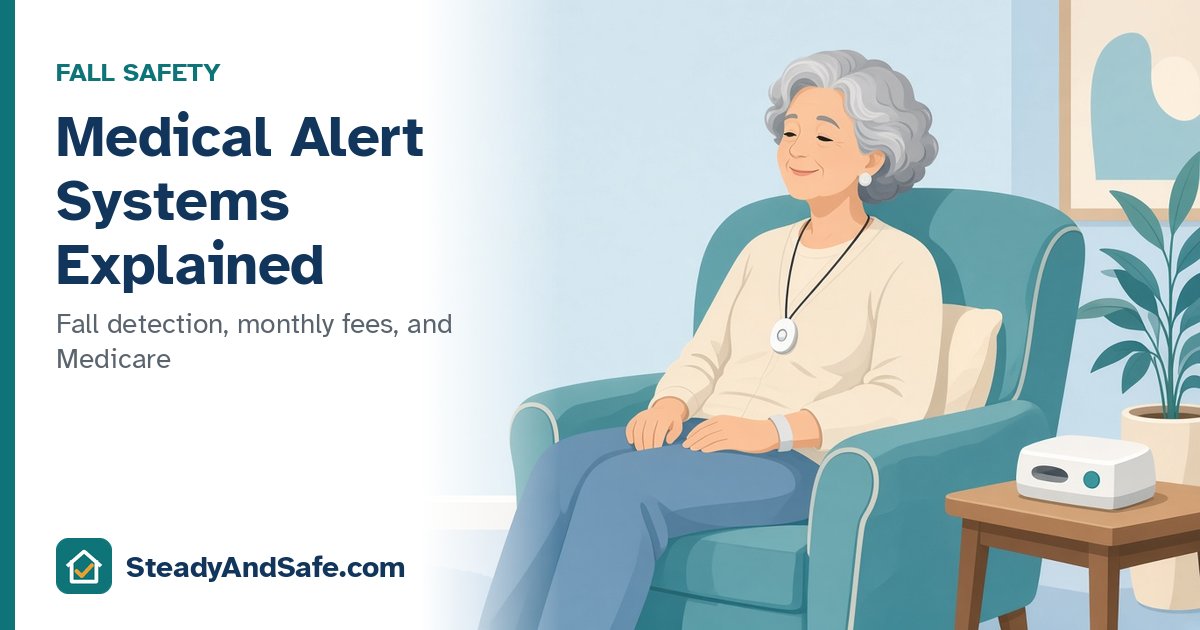
Most falls aren't dramatic. Someone stands up too fast, misjudges a step, or slips getting out of the shower. The fall itself may not cause a serious injury. The bigger danger is often what happens next: lying on the floor, unable to get up, and unable to reach a phone.
That's the problem medical alert systems are built to solve. You wear a small button, usually as a pendant or on the wrist, and press it to reach a response center that can call family, a neighbor, or 911. This guide explains the main types, what fall detection can and can't do, what Medicare covers, and the questions to ask before you sign up.
The quick answer
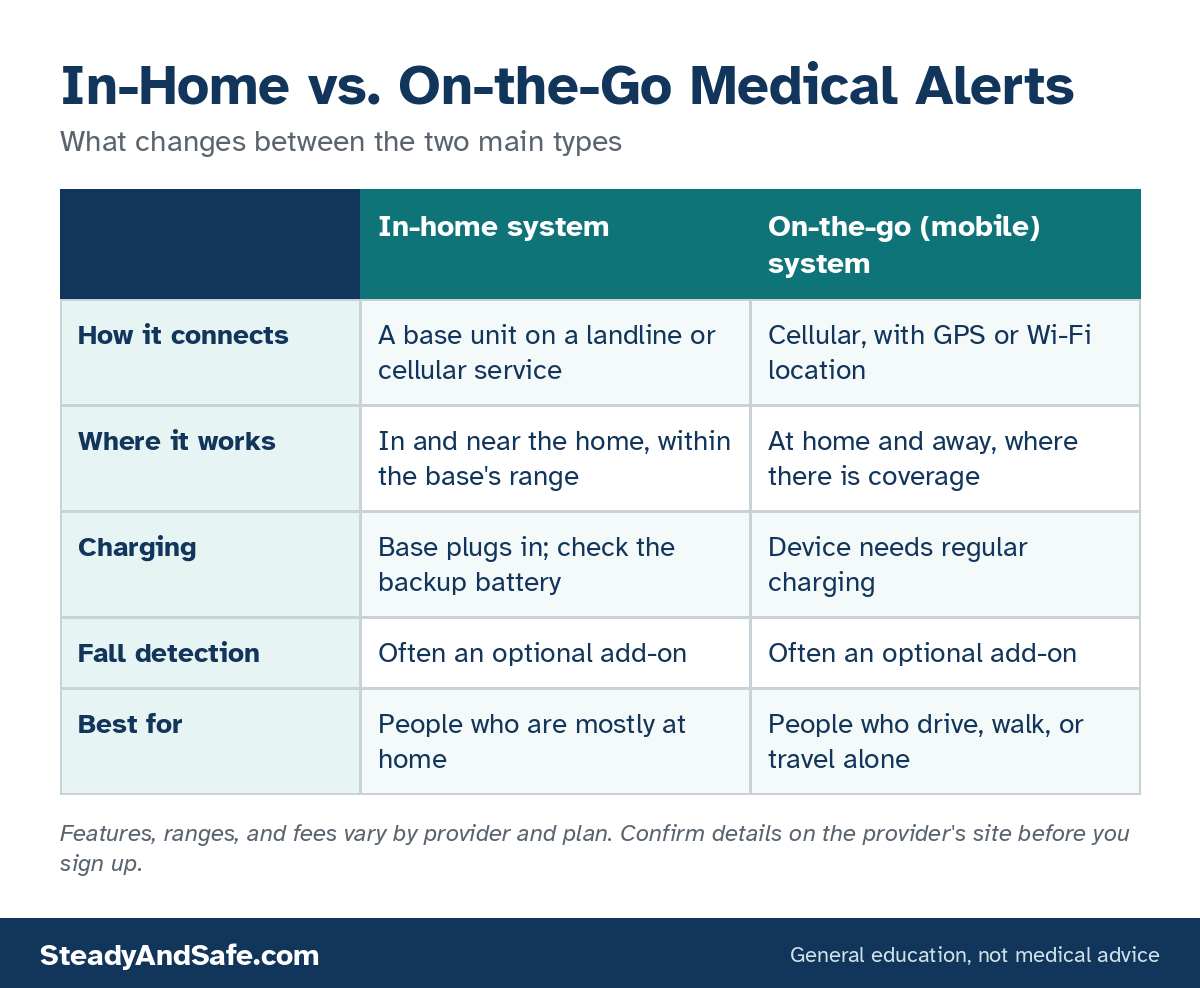
- In-home systems use a base unit in the house, with a button that works within range of it. They suit people who are mostly at home.
- On-the-go (mobile) systems use cellular service and location tracking, so they work away from home too. They suit people who drive, walk, or travel alone.
- Fall detection is usually an optional add-on. It can help, but it doesn't catch every fall and can set off false alarms. The button still matters.
- Original Medicare doesn't pay for them. Some Medicare Advantage plans may offer a benefit, so call yours.
Who should consider one
The National Institute on Aging (NIA) suggests preparing for a fall by keeping a charged cordless or mobile phone with you, arranging daily contact with family or a friend, and considering an emergency response system that lets you "push a button on a special necklace or bracelet to call for help." It notes that some smartwatches have this feature too.
A system is worth considering if you or a parent:
- Lives alone, or is alone for long stretches of the day.
- Has fallen before. The CDC reports that falling once doubles the chance of falling again.
- Is recovering from surgery. See What You Need at Home After Hip or Knee Replacement.
- Has a health condition that can cause sudden weakness, dizziness, or confusion.
- Wants family to have peace of mind without someone moving in.
How medical alert systems work
Most systems have three parts:
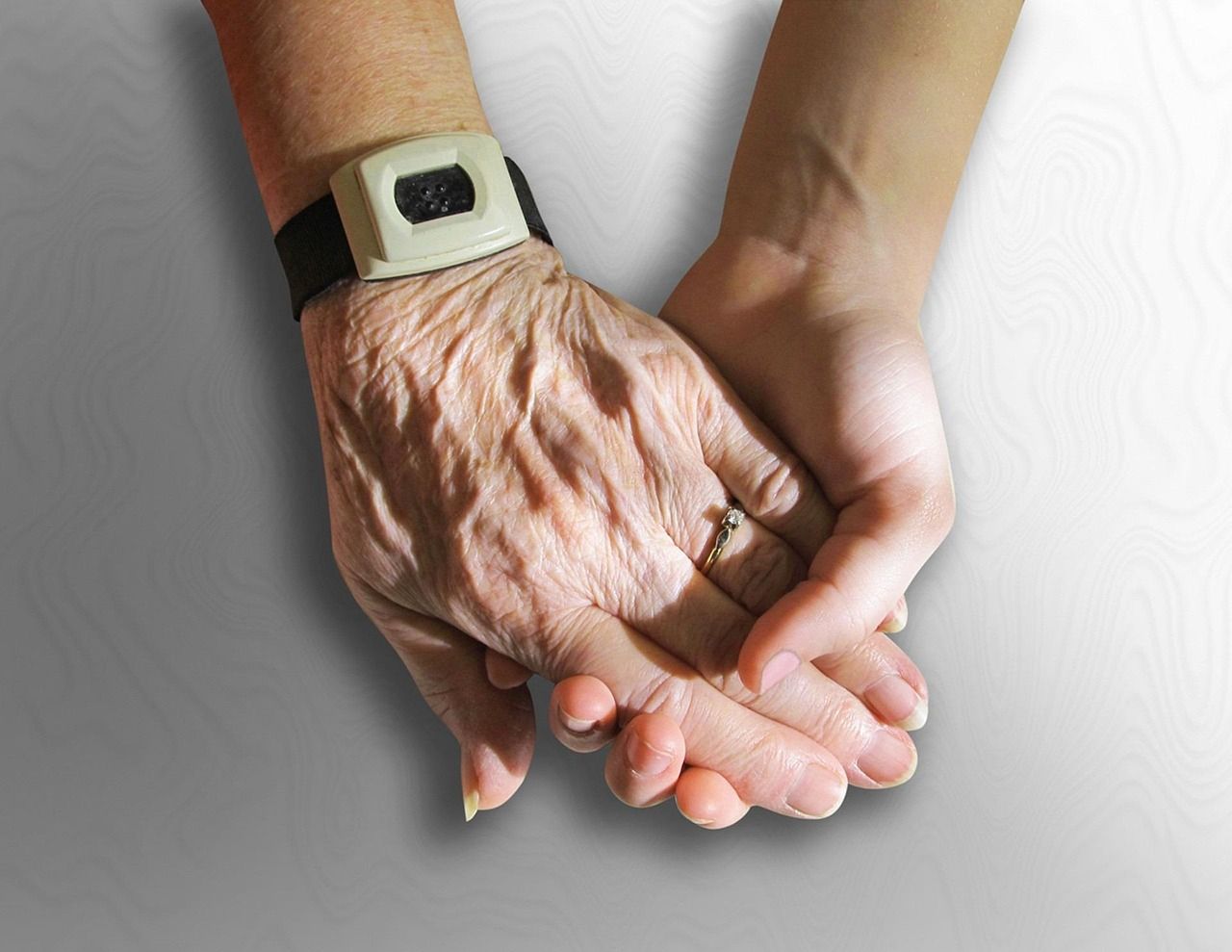
- A wearable button. A pendant, wristband, or clip. You press it when you need help.
- A connection. Either a base unit in the home (connected to a landline or cellular service) or a mobile device with its own cellular connection.
- A response center. When you press the button, a trained operator talks to you through the base or device, figures out what you need, and contacts family, a neighbor, or emergency services.
Some systems also have caregiver apps, location sharing, medication reminders, or check-in calls. These vary a lot by provider and plan.
In-home vs. on-the-go
In-home systems
An in-home system uses a base unit that plugs in at home, with a speaker and microphone so the operator can talk to you. The button works within a set range of the base, so check how far that range reaches. Does it cover the yard, the mailbox, or the garage? The base usually has a backup battery in case of a power outage.
Some in-home systems need a landline. Others use cellular service built into the base, which is useful if you don't have a home phone.
On-the-go systems
A mobile system is a small device with its own cellular connection, a speaker, and location features, so help can find you away from home. It needs to be charged, often every few days, so build charging into a routine you'll actually keep. Coverage depends on the cellular network where you live and travel.
Smartwatches
Some smartwatches can call emergency services or contacts and offer fall detection. They can work well for people who already wear and charge one daily. They may not include a live response center, and setup can be complicated for some people. Compare carefully if you're choosing between a watch and a dedicated system.
What fall detection can and can't do
Fall detection uses motion sensors in the button to guess when you've fallen and call for help automatically, even if you can't press the button. That sounds like the whole point, and for some people it is. But it's not perfect.
In a small real-world pilot study published in the Journal of the American Geriatrics Society, 18 older adults used a wearable fall detection device for up to four months. The device recorded 84 fall alarms, and 83 of them were false. It caught one real fall, missed three others that happened while participants were wearing it, and eight more falls happened while the device wasn't being worn, half of them while it was on the charger. That was one device and a small group, and technology has changed since. But the lessons still apply:
- Fall detection can miss falls, especially slow, sliding, or seated ones.
- False alarms happen. Ask how the provider handles them.
- A device only helps if it's worn. That includes at night and in the shower, if the device is rated for water.
- Charging gaps matter. Plan when to charge so it isn't off your body when you're most at risk.
The practical point: a system only works if it's on you. If you're able to, press the button yourself rather than waiting for fall detection.
Questions to ask before you sign up
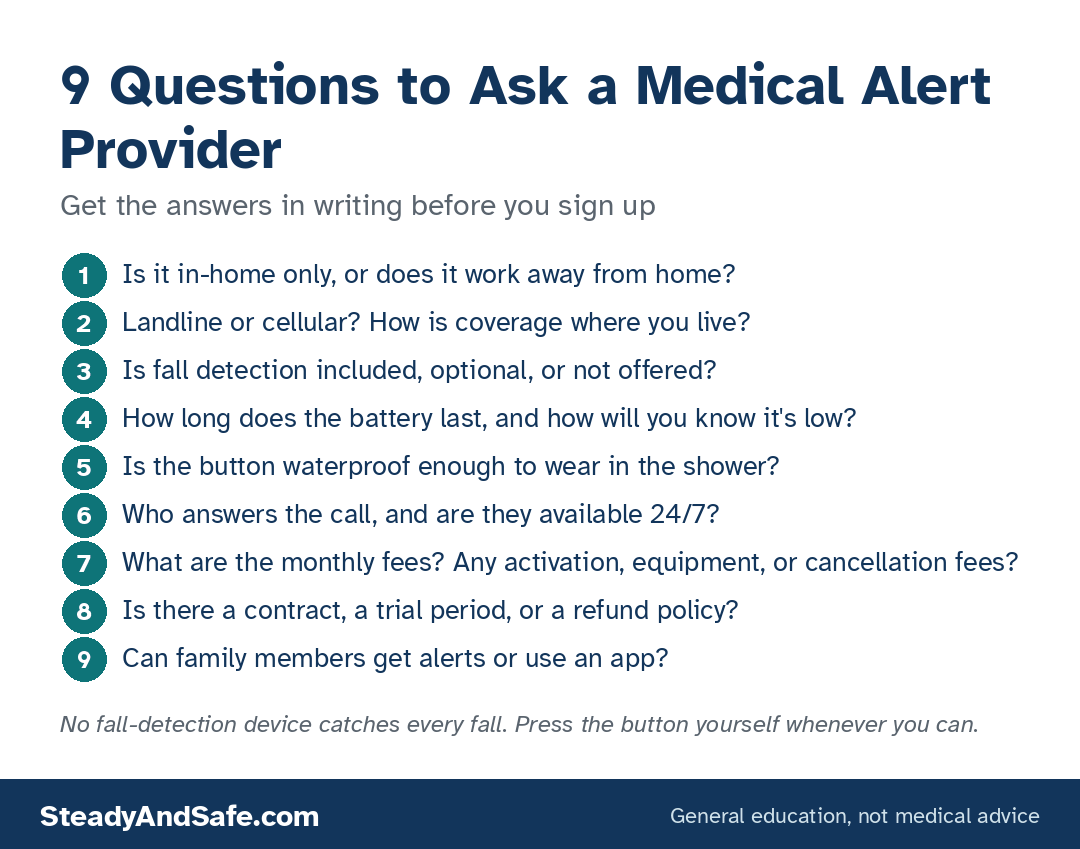
- Is it in-home only, or does it work away from home?
- Landline or cellular? How is coverage where you live?
- Is fall detection included, optional, or not offered?
- How long does the battery last, and how will you know it's low?
- Is the button waterproof enough to wear in the shower?
- Who answers the call, and are they available 24/7?
- What are the monthly fees, and are there activation, equipment, or cancellation fees?
- Is there a contract, a trial period, or a refund policy?
- Can family members get alerts or use an app?
Get the answers in writing, or screenshot the provider's page, before you sign up.
Systems to compare
These picks come from each provider's published product pages. I haven't used these systems myself, so these aren't hands-on reviews. Features, fees, and plans change, so confirm details with the provider before you sign up.
Alert1
Alert1 EZ Care (in-home).
- Pros: an in-home system that uses cellular service, so no landline is needed; Alert1 offers a fall detection pendant as an option.
- Cons: in-home only, so it won't help on walks or errands; like any fall detection, it can't detect every fall.
Alert1 LifeBeacon (on-the-go).
- Pros: a mobile system you can wear as a pendant or on a wristband, for use at home and away.
- Cons: needs regular charging; depends on cellular coverage where you are.
LifeFone
LifeFone At-Home Landline and At-Home Cellular.
- Pros: LifeFone lists up to 1,300 feet of range from the base, a 32-hour backup battery, and optional fall detection; choose landline or cellular depending on your home.
- Cons: at-home coverage only.
LifeFone VIPx2 (at home and on the go).
- Pros: works at home and away; LifeFone lists an 18-day battery life, optional fall detection, and an optional caregiver app.
- Cons: mobile devices depend on cellular coverage; add-ons can change the monthly cost, so compare plans on LifeFone's order page.
Does Medicare pay?
Original Medicare doesn't. Medicare's national coverage list for durable medical equipment (CMS NCD 280.1) denies "telephone alert systems" because they are emergency communication systems that "do not serve a diagnostic or therapeutic purpose." See Medicare's DME page for how equipment coverage works.
Some Medicare Advantage plans may include a medical alert benefit. Call your plan and ask directly. Some state Medicaid waiver programs, veterans' benefits, and local Area Agencies on Aging may also help, so it's worth a call.
Making it work at home
A medical alert is one part of a fall plan. The other parts:
- Reduce the chance of falling in the first place with the room-by-room home safety checklist.
- Make the bathroom safer with grab bars that can actually hold you, non-slip bath mats, a shower chair or transfer bench, and a raised toilet seat or safety frame.
- Learn how to get up safely. The NIA's guide explains what to do if you fall: stay calm, check whether you're hurt, and get up slowly only if you can do it safely. Otherwise, call for help.
- Set up daily check-ins with family or a friend.
The bottom line
Pick in-home if you're mostly at home, mobile if you're often out alone. Treat fall detection as a backup, not a guarantee. Ask about every fee in writing. And most important, choose something you'll actually wear, every day and every night.
Questions people ask
What's the difference between in-home and mobile medical alert systems?
In-home systems use a base unit and work within range of it. Mobile systems use cellular service and work away from home too.
Do I need fall detection?
It can help if you're at risk of falls where you can't press the button. But it can miss falls and trigger false alarms, so the button is still your main tool.
Does Medicare cover medical alert systems?
Original Medicare doesn't. Some Medicare Advantage plans may, so call yours.
Do I need a landline?
No. Many in-home systems use cellular service, and mobile systems always do.
Can I wear it in the shower?
Many buttons are water-resistant, and the bathroom is a common place to fall. Check the device's rating with the provider.
Is a smartwatch good enough?
It can be, if you wear and charge it every day and know how its emergency features work. Many don't include a live response center.
Read next
Sources
- NIA falls and fractures
- CDC older adult falls
- Chaudhuri et al., Journal of the American Geriatrics Society, 2015
- CMS NCD 280.1
- Medicare DME coverage
Product details come from each provider's product pages, checked October 2026.